
Spam and unwanted calls have become one of the most irritating problems of modern digital life. No matter where you live, what phone you use, or how careful you are, those random calls somehow find their way to your phone. You might be eating dinner, attending an important meeting, or even sleeping—and suddenly your phone rings with a call offering loans, insurance, trading tips, fake job offers, or worse, scams.
In 2026, spam calls are more advanced than ever. They are no longer limited to unknown numbers. Many spam callers now use spoofed numbers, making it look like a local or trusted contact is calling you. This makes people pick up calls they normally wouldn’t, and that’s exactly how scams succeed.
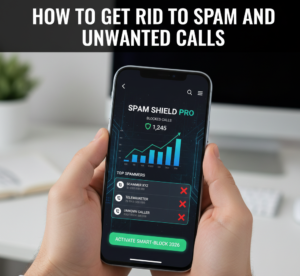 This article will walk you through real, tested, and practical methods to get rid of spam and unwanted calls in 2026. These are not theoretical tips. These are things that actually work when done properly.
Why Spam Calls Are Increasing Every Year
Before we jump into solutions, it’s important to understand why spam calls keep increasing, even when governments and telecom companies try to stop them.
First, your phone number is everywhere—whether you realize it or not. You share it while:
-
Signing up on websites
-
Ordering food online
-
Using apps
-
Filling out forms
-
Applying for jobs
-
Registering for services
Many of these platforms sell or leak data, intentionally or unintentionally.
Second, spam calling is cheap and profitable. With modern auto-dialing software, scammers can call thousands of numbers in minutes. Even if only 1% of people respond, they make money.
Third, enforcement is slow. Laws exist, but tracking international spam networks is difficult. Many spam calls originate from outside your country.
Understanding this helps you realize one thing clearly:
You must protect yourself. Waiting for someone else to fix it won’t work.
Step 1: Activate Built-In Spam Protection on Your Phone (Most People Ignore This)
Almost every smartphone already has spam protection, but most users never enable it properly.
For Android Users (2026 Updated)
Go to:
-
Phone App
-
Settings
-
Enable Call Screen / Spam Protection / Filter Unknown Calls
Android phones now use real-time databases that automatically flag spam numbers. When activated properly, many spam calls will never even ring your phone.
For iPhone Users
Apple has improved call filtering significantly:
-
Go to Settings → Phone
-
Enable Silence Unknown Callers
-
Enable Call Blocking & Identification
This sends unknown numbers directly to voicemail. Genuine callers usually leave a message. Spammers don’t.
This single step alone can reduce spam calls by 40–60%.
Step 2: Stop Answering Unknown Calls (This Sounds Simple, But It’s Critical)
One of the biggest mistakes people make is answering spam calls even once.
When you answer:
-
Your number gets marked as “active”
-
Your number gets shared with more spam databases
-
You receive more calls in the future
Even if you disconnect immediately, damage is already done.
Rule for 2026:
If the number is unknown and important, they will:
-
Call again
-
Leave a voicemail
-
Send a message
No genuine company resolves serious matters through random cold calls.
Step 3: Block and Report — But Do It the Right Way
Blocking alone is not enough. Reporting is equally important.
Correct Way to Block:
-
Open recent calls
-
Long-press the number
-
Select Block + Report as Spam
This feeds data back to spam detection systems and helps protect others too.
Many people block numbers but never report them. Reporting improves accuracy for everyone.
Step 4: Use a Reliable Call-Blocking App (But Choose Carefully)
Not all apps are good. Some spam-blocking apps themselves collect data aggressively.
In 2026, the most effective call blockers:
-
Work offline + online
-
Have community-based reporting
-
Don’t require unnecessary permissions
A good app can reduce spam calls by up to 90% when combined with system settings.
Avoid apps that:
-
Ask for contact list access unnecessarily
-
Show excessive ads
-
Require account sign-ups for basic blocking
Always check reviews and permissions before installing.
Step 5: Register for Do Not Disturb (DND) — Still Relevant in 2026
Many people believe DND doesn’t work anymore. That’s not entirely true.
DND:
-
Doesn’t stop all spam
-
But significantly reduces legal telemarketing calls
It works best when combined with:
-
Phone spam filters
-
Manual blocking
-
App-based protection
DND alone is weak. DND + smart filtering is strong.
Step 6: Never Trust Callers Asking for These Things (Major Scam Alert)
In 2026, no legitimate organization will ask for:
-
OTP codes
-
Bank details
-
Card numbers
-
CVV
-
PINs
-
App installation requests
If a caller asks for any of these, it’s a scam. No exceptions.
Banks, telecom companies, government offices—none of them operate like this.
Hang up immediately.
Step 7: Reduce Data Leakage (This Is Where Most People Fail)
You may be blocking calls correctly, but still receiving new spam numbers. That means your data is still leaking.
Do this:
-
Avoid entering your phone number on unknown websites
-
Uninstall apps you don’t use
-
Review app permissions
-
Avoid “free” services that require your number
Every unnecessary signup increases spam exposure.
Step 8: Use Separate Numbers for Different Purposes
This is a powerful but underrated method.
Use:
-
One number for personal use
-
One number for business, signups, or online services
If the secondary number gets spammed heavily, you can:
-
Silence it
-
Change it
-
Use strict filtering
This keeps your primary number clean and peaceful.
Step 9: Voicemail Strategy That Actually Works
Enable voicemail and don’t pick unknown calls.
Serious callers leave messages.
Spammers don’t.
Over time, your brain retrains itself to ignore ringing anxiety. Peace improves dramatically.
Step 10: Train Yourself Mentally (Yes, This Matters)
Spam calls create stress because people feel forced to respond.
In reality:
-
You owe nothing to unknown callers
-
You are not being rude by ignoring them
-
Silence is your right
Once you accept this, spam calls lose their power over you.
Final Thoughts: A Spam-Free Phone Is Possible in 2026
Spam calls are annoying, invasive, and mentally exhausting—but they are not unstoppable.
Most people suffer because they:
-
Don’t enable protections
-
Answer unknown calls
-
Share their numbers everywhere
-
React emotionally
If you apply the steps in this article consistently, you will notice:
-
Fewer calls within 7 days
-
Massive reduction within 30 days
-
Long-term peace within 2–3 months
This is not a one-time fix. It’s a system